

In March 2023, Eliot Higgins, the founder of the open-source investigations outlet Bellingcat, fed a few prompts into Midjourney about Donald Trump’s arrest. He posted the resulting images publicly, labeled them clearly as AI-generated, and watched them go viral within hours as authentic news. Higgins said he made them to demonstrate how thin the line between real and fake had become. He was right. The labels he attached to the images didn’t survive the first screenshot.
Two months later, a checkmark-verified Twitter account impersonating Bloomberg News posted what looked like a photograph of an explosion at the Pentagon. The S&P 500 dropped 0.3% in five minutes before traders realized the image was AI-generated. The market recovered within the hour, but the obvious fake had real effects on the market.
These incidents, along with the Pope in the white Balenciaga puffer coat, the AI-generated Maui wildfire “evidence” photos, the fake Trump-Harris rally images from the 2024 election cycle, have all played out the same way. Image goes viral. Investigation follows. Truth catches up late, if at all. By then, the audience that wanted to believe has moved on, but in many cases checking the photo metadata with the Photo Investigator can reveal the truth.
The metadata most AI generators leave behind
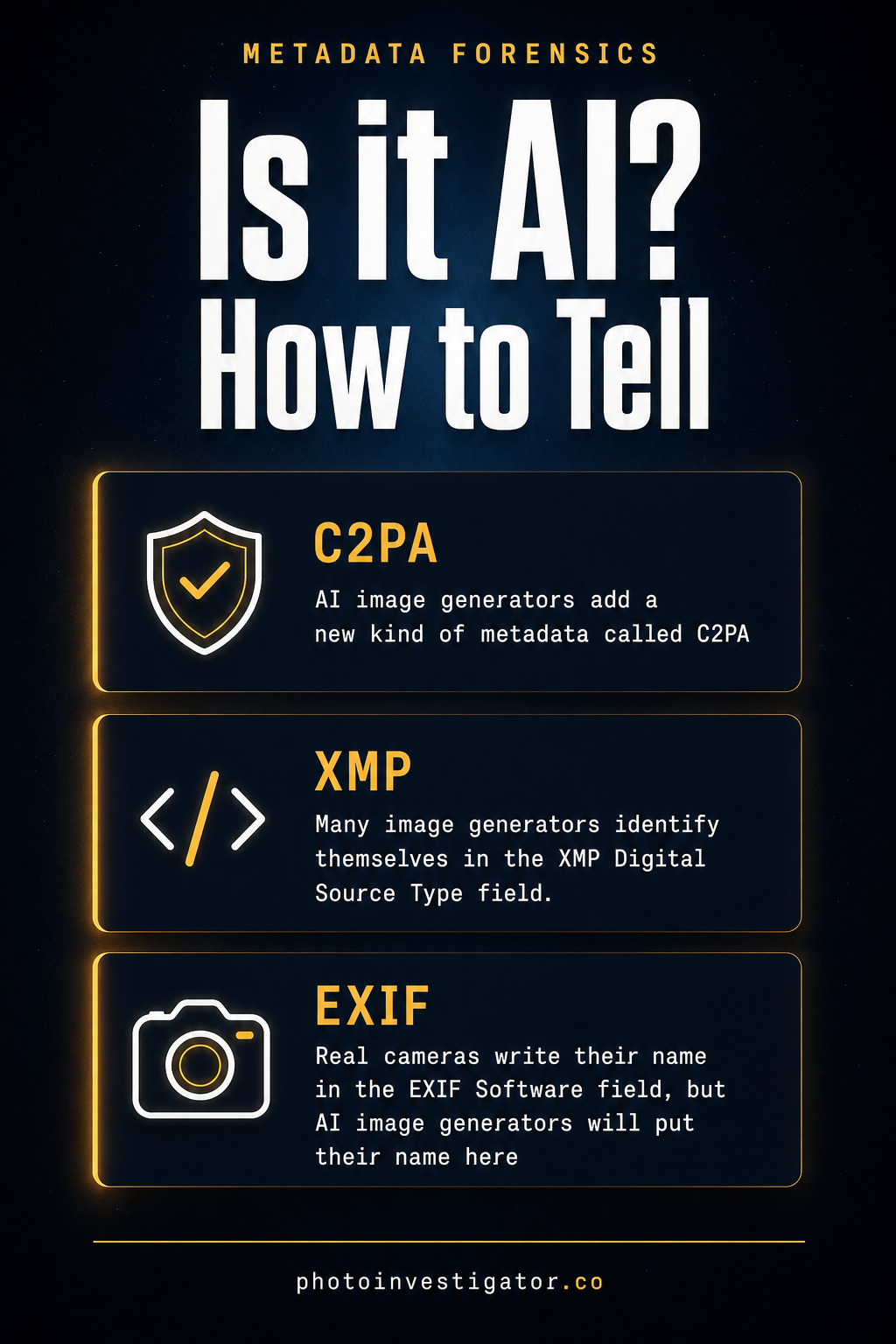
In fact, a surprising number of AI image generators voluntarily label their output. Not in pixels, but in metadata fields the generators write directly into the file when they save it.
C2PA manifests
The Coalition for Content Provenance and Authenticity, an industry consortium that includes Adobe, Microsoft, OpenAI, Google, and major camera manufacturers, defined a standard for content credentials. A C2PA manifest is a cryptographically signed packet embedded in the image file. It records who or what created the image, which edits the creator applied, and which software produced the file. OpenAI added C2PA to DALL-E 3 outputs in early 2024. Adobe Firefly tags every image it produces. Google ImageFX embeds the same standard. Microsoft Designer too. If an image has a valid C2PA manifest, you can read exactly which model produced it and when.
XMP DigitalSourceType
The IPTC photo metadata standard includes a specific XMP field called “Iptc4xmpExt:DigitalSourceType“, designed to declare how a digital file originated. When this field says "trainedAlgorithmicMedia“, the file came from a generative model. “digitalCapture” means a camera captured it. AI generators that follow the standard write this field on export.
EXIF Software field
Finally, this is the oldest and crudest signal. Real cameras write their make and model into the EXIF Software field. AI generators sometimes do too. A Software field that reads “Midjourney v6.1” or “Stable Diffusion XL” is doing your detection work for you. Even when the generator itself doesn’t tag, the Python libraries used to save the output sometimes do: entries like PIL/Pillow or OpenCV showing up on what’s supposed to be an iPhone snapshot is a signal.
Which generators tag their output (2026)
| Generator | C2PA manifest | XMP DigitalSourceType | EXIF / PNG metadata |
|---|---|---|---|
| DALL-E 3 / ChatGPT (OpenAI) | Yes (since Jan 2024) | Yes | No |
| Adobe Firefly | Yes | Yes | No |
| Google Imagen 3 / ImageFX | Yes + SynthID watermark | Yes | No |
| Microsoft Designer / Copilot | Yes | Yes | EXIF Software field |
| Midjourney v6 / v7 | Yes (since early 2026) | No | EXIF Software on older versions |
| Stable Diffusion (A1111 / Forge) | No | No | PNG parameters chunk (prompt, model, seed) |
| ComfyUI | No | No | PNG prompt + workflow JSON chunks |
| Apple Image Playground | No | No | EXIF Software “Image Playground” |
Reflects confirmed behavior as of June 2026. Generator behavior can change with software updates.
What the field guide looks like in practice
In a recent example, a viral image labeled “protesters in Tehran” circulated across X, Telegram, and Reddit before researchers flagged it as AI-generated. The image had no GPS data, no camera make, no lens, no focal length. None of the routine metadata a real protest photo from a phone would carry. Its Software field was empty. Its XMP packet contained a DigitalSourceType of trainedAlgorithmicMedia. A model had generated the image and voluntarily tagged its output, and that tag was still intact when the file reached the open web.
However, this doesn’t always happen. The Pentagon explosion fake, for example, came from a tool of an earlier generation that didn’t tag itself in the metadata. The Pope-in-puffer image predates widespread C2PA deployment. Eliot Higgins’ Trump arrest demonstration predates DALL-E 3’s content credentials. The metadata field guide works when the generator participates in the standard, when nobody has manually scrubbed the file, and when the file you’re looking at hasn’t been re-encoded to strip extended metadata.
That’s a lot of conditions. Still, they’re met more often than you’d expect.
How to read these fields on iPhone
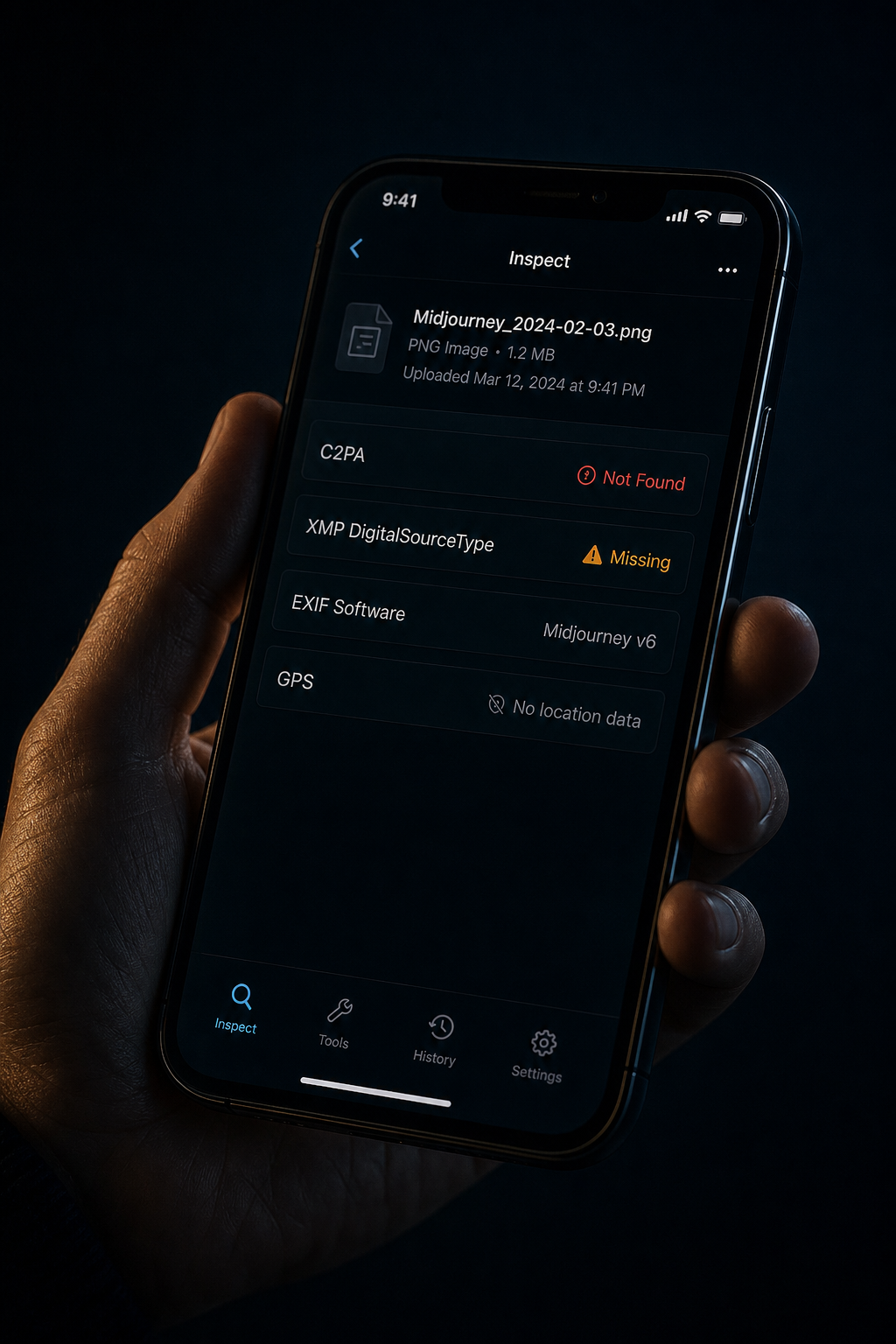
- Save the suspected image to your iPhone’s Photos app or Files app.
- Open Photo Investigator and select the photo or video.
- Check for a blue AI badge overlaid on the image. If it appears, AI metadata was detected. Tap it to see exactly what the app found.
- For the full field listing, tap Metadata, then View All. Every tag embedded in the file will be shown.
On a real iPhone photo, you’ll see roughly 40 EXIF fields, GPS coordinates if you enabled location, Apple’s maker-note data, depth map info if it’s a portrait, and no C2PA manifest. A DALL-E 3 image, by contrast, shows just a handful of fields and a C2PA block citing OpenAI. On a Midjourney output, you’ll see the Software field name the model. The difference is obvious.
None of this runs in the cloud. The image doesn’t leave your phone. Photo Investigator reads the metadata locally.
What this approach is good for, and what it isn’t
Overall, this is a fast first check. It works in seconds, on the device you’re already holding, against the fields that bad actors most often forget to strip. It’s enough to catch the lazy fakes that account for most of the AI misinformation circulating today.
This is not a deepfake detector. Pixel analysis is not part of the method (though it is coming soon). The check cannot determine whether someone has deceptively edited a real photograph. It does not work on:
- Screenshots of AI images, which often lose extended metadata in the screenshot pipeline
- Images re-encoded by social platforms (most platforms strip metadata on upload, but the original file, if you can get it, often still has the tags)
Even so, what it does is raise the cost of producing a credible fake. A bad actor who wants to push an AI-generated “protest photo” now has to either use a generator that doesn’t tag, manually scrub the metadata (which could also be done with the Photo Investigator), or hope no one runs the file through a metadata reader. That extra step is the difference between something that spreads by default and something that requires deliberate effort.
In a misinformation environment where the speed of distribution has always outpaced the speed of verification, raising the cost on the production side matters.
A note on the political stakes
The Pope-in-puffer story is a fun internet moment. The Pentagon-explosion fake nudged the stock market. Those Trump arrest images were a clearly labeled demonstration that went viral as fact. None of these were election-defining. Yet.
The 2024 US election saw AI-generated images of fake endorsements, fake rally crowds, and fake debate scenes circulate from accounts across the political spectrum. The 2026 midterms will see more. Other countries’ elections are seeing them already: India, Argentina, Slovakia, Indonesia. Every campaign cycle is now an environment in which generative AI is part of the toolkit, including the dirty tricks toolkit.
Ultimately, verifying images at the speed they spread isn’t a partisan problem. Tools that let any person with a phone check whether a viral image carries a generator’s signature won’t fix the problem. But they make it harder for the cheap fakes to land, and the cheap fakes are most of them.
Frequently asked questions
Does sharing an image on social media remove AI metadata?
Usually yes. Instagram, X/Twitter, Facebook, and TikTok all strip extended metadata on upload, which removes XMP and C2PA fields. If you can get the original file before someone shared it (downloaded directly from the generator, sent via AirDrop, or pulled from the source), the tags are typically still intact. A screenshot of an image that was already posted? Assume the metadata is gone.
What does it mean if no AI metadata is found?
Simply put, it means unknown, not authentic. Stripped metadata is not proof that a photo is real. Older generators, re-encoded files, and intentionally scrubbed images will all come up clean. Metadata is a fast first check: when it’s positive, it’s definitive. When it’s negative, you need more investigation.
Get Photo Investigator

Photo Investigator reads C2PA manifests, XMP DigitalSourceType, EXIF Software signatures, and the full metadata profile of any photo or video you can save to your iPhone, iPad, or Mac. No cloud upload. No tracking. The file stays on your device.


